AI-powered QA
for your frontend.
Whether you're shipping AI-generated UI or hand-crafted code, NeuralDiff verifies every page matches your team's standards — design quality, accessibility, layout, permissions, and intent — so nothing ships that shouldn't — while keeping you and your team fast.
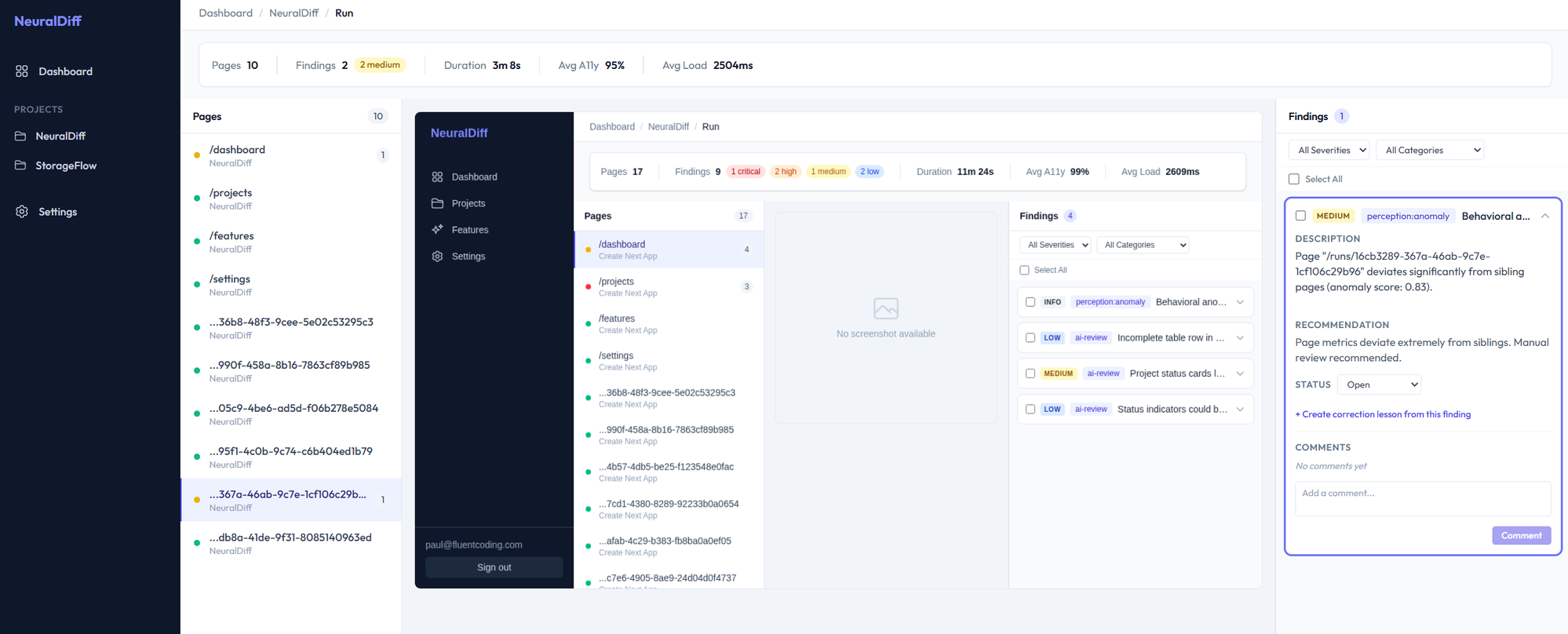
Visual bugs ship to production every day.
Every code change can break something visual. Your team catches the same spacing, layout, and color issues sprint after sprint. Manual review doesn't scale.
of AI-generated UI changes require visual corrections
the same visual feedback given repeatedly across sprints
tools that learn from your corrections to prevent repeats
A QA system that gets smarter over time.
Not another pixel-diffing tool. An intelligent system trained on your team's design decisions.
Learns From Corrections
Fix a visual issue once and NeuralDiff remembers. Every correction becomes a rule your team never has to repeat.
Per-Team Intelligence
No universal design rules. NeuralDiff builds a model from your team's actual decisions — your spacing, your palette, your patterns.
AI Agent Native
Built as an MCP server for Claude Code, Cursor, and other AI tools. Your agent checks rules before generating and verifies output after.
Sub-Second Feedback
The daemon watches your UI in real-time. Instant violation detection against learned standards — no CI wait, no context switch.
Auth-Aware Crawling
Configure login credentials and NeuralDiff crawls authenticated pages automatically. Test what your users actually see.
Design Analysis
Understands what changed — font size, button color, layout shift — and how severe it is. Semantic diffs, not pixel noise.
Up and running in minutes.
Three steps. No config files. No CI setup required.
$ npx @neuraldiff/daemon

🔥 NeuralDiff daemon running at localhost:7878
📸 Browser ready — Chromium
⚡ MCP server connected (stdio)

# Add to your .mcp.json:
{
  "mcpServers": {
    "neuraldiff": {
      "command": "npx",
      "args": ["@neuraldiff/daemon"]
    }
  }
}🔍 Crawling http://localhost:3000
Auto-discovering routes...
/ ✓ 320ms landing
/dashboard ✓ 410ms dashboard
/settings ✓ 290ms form
/login ✓ 180ms auth
... 12 more pages found
📊 Running checks (61 pages)
✓ Contrast · Touch targets · Spacing
✓ Alt text · Overflow · Typography
⚠ 23 findings across 8 pages⚠ /settings — 5 findings
[high] Touch target < 44px
button.save-btn (38x32px)
[medium] Contrast ratio 3.1:1
.label-text on .card-bg
WCAG AA requires 4.5:1
[low] Spacing inconsistency
gap varies: 16px, 12px, 16px
→ Open in daemon UI: localhost:7878
→ Export to GitHub Issues
→ Export to LinearStart free. Scale when you're ready.
Local analysis is always free. Cloud features unlock team collaboration and shared intelligence.
Free
Local analysis, unlimited
- Local daemon + SDK
- MCP server for AI agents
- Local knowledge base
- 500 cloud checks/month
Team
Per seat, billed monthly
- Everything in Free
- Team-shared learned rules
- Stakeholder review UI
- CI/CD visual checks
- Auth-aware crawling
Business
Per seat, billed monthly
- Everything in Team
- AI-powered design analysis
- Multi-role QA with test personas
- SSO / SAML
- Priority support
Start finding visual bugs today.
One command to install. Free forever for local use. Your first QA run takes less than a minute.